
Create Professional Fence Estimates in Minutes
Select the customer, draw or enter the fence layout, choose materials and options, adjust the selling price, and send a professional branded proposal from your phone, tablet, or computer.
- Built for contractors, salespeople and estimators
- Your fence catalog and your selling prices
- Your logo, colors and terms on every proposal
- Works on phone, tablet and desktop
Open
38
Sent
17
Approved
9
Pipeline
$412k
Show Customers Every Fence Option
This is the live Fencerly Estimate carousel — filters, swipe, thumbnails, height, color and upgrades — running on the shared Fencerly fence catalog.
Loading the Fencerly fence catalog…
Inside Fencerly Estimate
Same component, same interactions — connected to your company catalog and price book instead of example pricing.
- Filter by material, style, height and color
- Show only the fences your company offers
- Price every option with your own selling prices
- Configure gates and upgrades in the same step
- Select a fence and the estimate reprices automatically
Minutes
To a sendable estimate
1 tap
To reprice a configuration
100%
Server-verified totals
24/7
Customers can approve online
Made for the people who write the estimate
Fencerly Estimate is used by fence contractors, salespeople, estimators and office staff — the team that quotes the job and follows it to signature.
Owners & contractors
Set the company price book once and know every quote leaving the truck uses your numbers and your margins.
Field salespeople
Run the same guided workflow on a phone at the property and send the proposal before you pull out of the driveway.
Estimators & office staff
Build, revise and resend estimates from a desktop, with permissions that decide who can change a price.
Everything an estimate needs, in one product
From the first customer record to the signed proposal, without spreadsheets or a second system.
Customer & lead management
Keep leads and customers in one place, convert leads when they buy, and catch duplicates by phone, email or property address.
Fast estimate creation
Pick the customer, confirm the address, capture the fence layout. A complete estimate takes minutes, not an evening at the office.
Material & style selection
Choose the material and fence style from your catalog, then set height, color, gates and upgrades without leaving the step.
Company-specific pricing
Your own selling prices per product — per foot, per section or cost-plus, with minimums. Your price book, not a generic calculator.
Permission-based adjustments
Authorized users adjust a single estimate by final price, per unit, dollar amount or percentage. Everyone else just sees the final number.
Branded proposals & PDFs
Preview the proposal, generate the PDF and send it under your logo, colors, contact details and terms. Customers approve online.
Phone, tablet, desktop
The same estimate works in the driveway on a phone and back at the office on a desktop, with no re-entry.
Shared platform records
Customers, catalog, pricing and branding are shared across the Fencerly Platform, and every total is calculated server-side.
Seven steps, customer to signature
The same order every time, so a brand-new salesperson can quote correctly on day one.
Select or add a customer
Search an existing customer or lead, or add a new one in two fields.
Confirm the property address
The primary property fills in; pick another saved property or add one.
Draw or enter the fence layout
Capture the runs on the map or type in the footage — either works.
Choose fence options
Material, style, height, color, gates and upgrades, filtered for compatibility.
Review and adjust the price
Check the scope, then adjust the selling price if your role allows it.
Preview and send the proposal
Branded PDF and proposal link delivered by email or text.
Customer views and approves
They review, approve and e-sign on their phone. It lands on your dashboard.
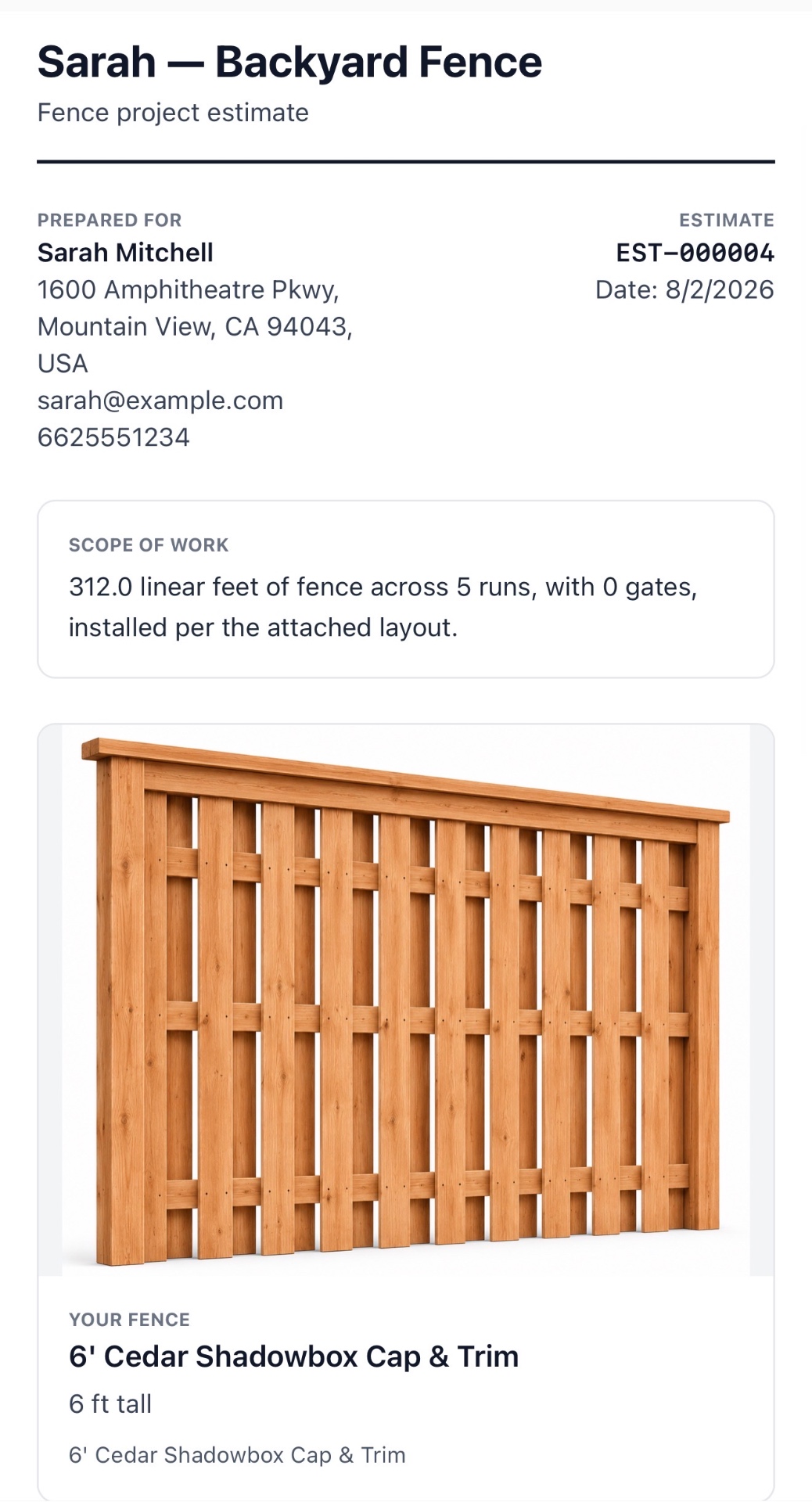
A proposal that looks like a company, not a text message
Every proposal carries your logo, colors, contact details, terms and footer — with the scope of work, the fence photo, the measured footage and one clear price.
- Photo of the exact style you quoted
- Scope: linear feet, runs, gates, upgrades
- One-tap approve and e-signature, no login required
- Hashed, expiring share links — never a public database ID
Shared records, plus an optional link to Fencerly Draw
Fencerly Estimate works on its own. Your customers, fence catalog, price book and company branding are shared across the Fencerly Platform, so you set them up once. If you also use Fencerly Draw, connect it to capture homeowner-generated layouts and leads, then continue the sales process inside Fencerly Estimate.
How the shared platform works →Shared identity
One login, one company, strict per-org isolation.
Fence catalog
Materials, styles, heights, colors and upgrades kept current.
Company price book
Your selling prices, versioned and audit-logged.
Fencerly Draw — optional
Connect it for homeowner layouts and leads. Not required.
Create your next fence estimate in minutes
Start a free trial of Fencerly Estimate, or watch a walkthrough with someone who has quoted fence jobs for a living.